
This guide will show you how to apply a whitelist ruleset that has been created to your 'Logging' policy.
Select the ‘Admin Centre’ icon from the top navigation bar.

Then select ‘Logging’ from the ‘Admin Dashboard’ options.
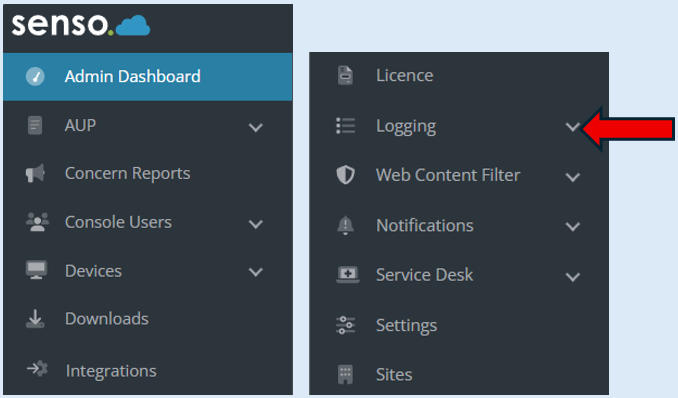
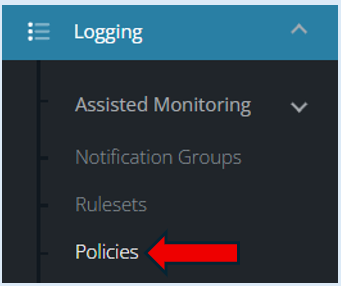
Within the ‘Logging’ section, select policies.
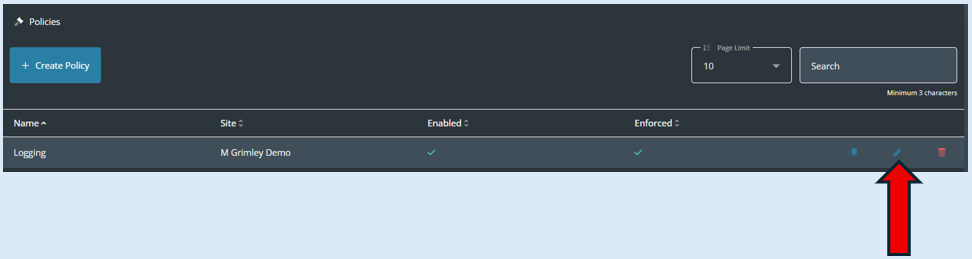
Once the page opens you may have multiple policies created however the policy you need to locate will be called ‘Logging’. Select the ‘Edit’ icon. Please note that when senso.cloud is installed we recommend that a policy is set up called ‘Logging’, this will manage your Web Content Filter.
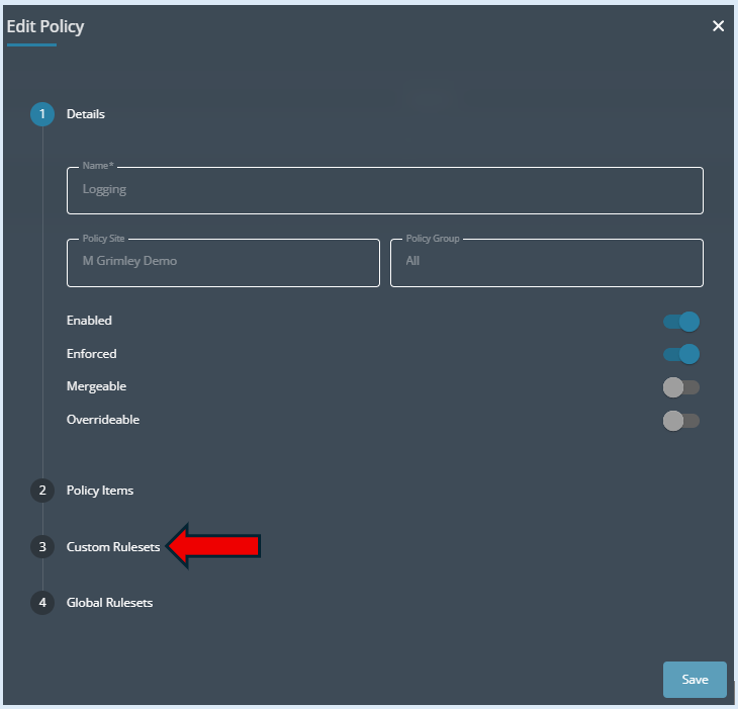
Select ‘Custom Rulesets’.
Locate the Custom Ruleset which has just been created. For this example, it was titled ‘Whitelist’. Please note you may already have several items in your list.
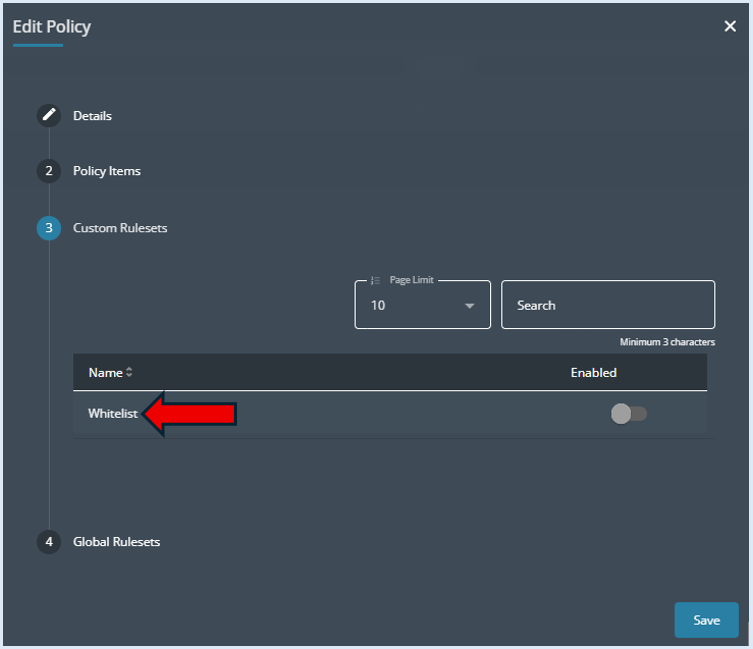
Switch the ‘Enabled’ button into the ‘On’ position.

Select ‘Save’.
The ruleset that was created titled ‘Whitelist’ is now active.
Please note – If you add additional items into your Custom Ruleset, you will not need to add the ruleset to the policy as it only needs to be done once when initially created.